Invarosoft® | How Can MSPs Cut Tool-Stack Costs With a Unified Platform?
December 15, 2025 By Jennifer Giraldo

How Can MSPs Cut Tool-Stack Costs With a Unified Platform?

Invarosoft® | How Can MSPs Cut Tool-Stack Costs With a Unified Platform?

How Can MSPs Cut Tool-Stack Costs With a Unified Platform?

The average Managed Service Provider (MSP) juggles 15-30 tools to deliver comprehensive IT services to their clients. While this patchwork approach may seem necessary, it’s quietly draining your profitability through redundant subscriptions, integration headaches, and operational inefficiencies.

The good news? MSPs are discovering that consolidating their tool stack into a unified platform can slash costs by 50% or more while simultaneously improving service delivery.

If you’re wondering how MSPs cut tool stack costs without sacrificing functionality, this comprehensive guide will show you exactly how leading MSPs are transforming their operations and their bottom line.

1.   Subscription Consolidation

Instead of paying for 8-12 separate tools, you pay for one comprehensive platform. Unified MSP software solutions typically cost $250-500 per month less than purchasing individual tools separately—that’s $3,000-$6,000 in annual savings just on subscription fees.

2.   Eliminated Integration Costs

With native integrations built into a unified platform, you eliminate the need for middleware, custom API development, and constant maintenance of connections between disparate systems. This integration saves 6-10 hours of technical time monthly.

3.   Reduced Training Investment

Your team learns one interface instead of ten. New hires become productive faster, and existing staff can focus on delivering client value rather than wrestling with multiple systems.

4.   Streamlined Vendor Management

One vendor relationship means one renewal date, one support team to contact, one billing statement to reconcile, and one point of accountability when things go wrong.

5.   Improved Data Accessibility

When all your tools share a common database, technicians can access client information instantly without switching between applications, reducing ticket resolution time by 15-25%.

Cost Crisis in MSP Tool Stacks

Before we dive into solutions, let’s understand the real scope of the problem. Most MSPs don’t realise how much their fragmented tool stack is actually costing them.

Direct Financial Drain

The average MSP spends between $10,000 and $50,000 annually on their software stack. Here’s an example:

  • RMM (Remote Monitoring and Management) tools: $1,500-$5,000/year
  • PSA (Professional Services Automation) platforms: $3,000-$12,000/year
  • Backup monitoring solutions: $1,200-$3,600/year
  • IT asset management tools: $1,000-$4,000/year
  • Customer satisfaction surveys: $600-$2,400/year
  • Client portal solutions: $1,500-$6,000/year
  • Scheduling and time management: $500-$2,000/year
  • vCIO and QBR tools: $1,000-$5,000/year
  • Documentation platforms: $1,200-$4,800/year
  • Additional specialty tools: $2,500-$10,000/year.

When you add up these subscription costs, the numbers become staggering. But the direct costs are only the tip of the iceberg.

Operational Costs

Beyond subscription fees, fragmented tool stacks create substantial hidden costs:

  • Integration and maintenance time: Your technical team spends 8-15 hours per month managing integrations, troubleshooting connectivity issues, and maintaining multiple vendor relationships. At an average technician cost of $50-75/hour, that’s $4,800-$13,500 annually in labour costs alone.
  • Training and onboarding expenses: Every new tool requires training. With staff turnover in the MSP industry averaging 15-20% annually, you’re constantly retraining team members across multiple platforms. Each tool requires 3-5 hours of training per employee, resulting in thousands of hours of lost productivity.
  • Data silos and context switching: When information lives in separate systems, technicians waste 10-15 minutes per ticket searching for client data across multiple platforms. For an MSP handling 500 tickets monthly, that’s 83-125 hours of wasted time.
  • Vendor management overhead: Managing relationships with 15-30 different vendors means tracking multiple renewal dates, negotiating contracts, handling billing issues, and coordinating support across different time zones and support models.

Components of a Cost-Effective Unified MSP Platform

Not all unified platforms are created equal. To achieve maximum cost savings while maintaining service quality, your platform should include these core capabilities:

IT Asset Management

A robust asset management system tracks hardware and software across your entire client base. Look for features like:

  • Automated discovery and inventory
  • Warranty tracking and expiration alerts
  • Vendor integrations for real-time data
  • One-click client reporting
  • Lifecycle management and replacement planning.

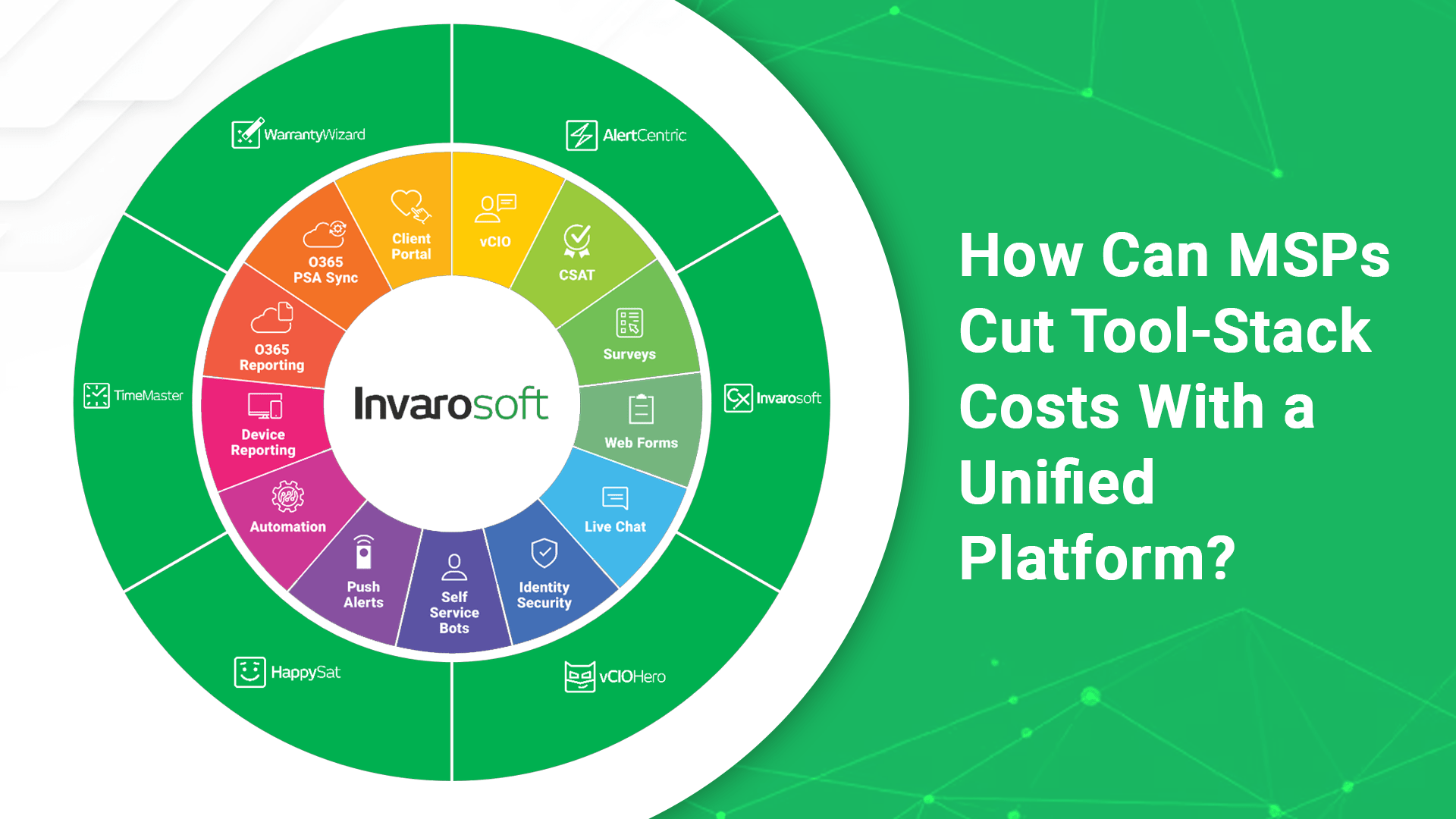
Tools like Warranty Wizard™ deliver comprehensive IT asset management with powerful vendor and RMM integrations, enabling you to easily review asset data and generate client reports with a single click.

Backup Monitoring and Management

Backup failures are among the most significant risks for MSPs. Your unified platform should provide:

  • Multi-vendor backup monitoring
  • Centralised alerting and reporting
  • Client-level visibility
  • Automated health checks
  • Rapid identification of backup failures.

A solution like Alert Centric™ helps MSPs seamlessly manage diverse backup applications and gain instant visibility into customer environments, ensuring no backup failures slip through the cracks.

Intelligent Scheduling and Calendar Management

The endless back-and-forth of scheduling client meetings wastes countless hours. Essential scheduling features include:

  • Automated appointment booking
  • Calendar integration
  • Client self-service scheduling
  • Team availability management
  • Reminder automation.

Platforms like Time Master™ eliminate the frustrating ping-pong match of meeting coordination, saving your team hours every week while improving client satisfaction.

Customer Feedback and Satisfaction Tracking

Understanding client satisfaction is crucial for reducing churn and identifying upsell opportunities. Your platform should offer:

  • Automated CSAT and NPS surveys
  • PSA integration for seamless data flow
  • Detailed satisfaction reporting
  • Trend analysis and benchmarking
  • Action item tracking

HappySat™ provides powerful customer feedback capabilities designed specifically for MSPs, with surveys and detailed reporting integrated directly into your PSA.

vCIO and QBR Tools

Strategic business reviews drive higher-value client relationships and increased revenue. Look for:

  • Automated ICT audits
  • Intelligent recommendations engine
  • Good, Better, Best presentation frameworks
  • Roadmap development tools
  • Sales conversion tracking.

Solutions like vCIO Hero™ replace traditional QBR tools with intelligent ICT audit, recommendations, and roadmap capabilities that use Good, Better, Best frameworks to improve sales conversion every time.

Branded Client Portal and Support App

Modern clients expect consumer-grade experiences. Your unified platform should provide:

  • White-labeled client portal
  • Desktop and mobile applications
  • Microsoft Teams integration
  • Ticket management and status tracking
  • Service catalogue access
  • Knowledge base and training resources
  • Secure messaging and file sharing
  • Network diagrams and device listings
  • Office 365 subscription visibility.

A comprehensive client portal provides a one-pane-of-glass, branded experience that streamlines support and showcases the value you deliver through tickets, approvals, service catalogues, knowledge bases, device listings, network diagrams, training access, live chat, identity security, push alerts, and secure messaging.

Measuring Success: KPIs That Matter

Track these metrics to quantify your cost reduction and efficiency gains:

Financial Metrics

  • Total monthly tool stack cost: Track monthly and compare pre- and post-consolidation.
  • Cost per managed device: Divide your tool costs by the total number of devices under management.
  • Cost per technician: Measure how much you’re spending on tools per team member.
  • Annual savings realised: Sum up all eliminated subscriptions and reduced labour costs.

Operational Metrics

  • Average ticket resolution time: Unified data access should reduce resolution time by 15-25%.
  • Time spent on tool management: Track hours spent on integration maintenance, vendor management, and troubleshooting tool issues.
  • Training time for new hires: Measure how long it takes new technicians to become productive.
  • System uptime and reliability: Track incidents caused by tool failures or integration issues.

Client Experience Metrics

  • Net Promoter Score (NPS): Should improve with better tools and faster service.
  • Customer Satisfaction (CSAT) scores: Track satisfaction trends as you roll out new platform features.
  • Client portal adoption rate: Measure the percentage of clients who actively use self-service features.
  • Churn rate: Should decrease as service quality and perceived value improve.

How To Get Started

If you’re ready to explore how your MSP can cut tool stack costs by 50% or more, here’s what to do:

  1. Complete your tool stack audit: Use the framework outlined above to document your current costs and pain points.
  2. Calculate your potential savings: Be realistic but thorough in projecting what consolidation could save you.
  3. Research unified platform options: Look for solutions that integrate with your existing PSA and RMM while covering your essential MSP functions.
  4. Request demonstrations: See the platforms in action with your specific use cases.
  5. Start with a pilot: Test a unified MSP platform with a subset of clients before a full rollout.

Book a Demo

The MSPs that thrive in the coming years will be those who operate lean, efficient businesses with the right technology foundation. By consolidating your tool stack into a unified platform, you’re not just cutting costs. You’re building a more sustainable, profitable, and competitive MSP for the long term. Book a demo today to learn more about our Unified MSP Software.

FAQs

1.   How can MSPs reduce tool-stack costs without sacrificing functionality?

MSPs can consolidate multiple point solutions into a unified platform that delivers essential functions like asset management, backup monitoring, client portals, and vCIO tools.

2.   What is the average cost of an MSP tool stack?

The average MSP spends between $10,000 and $50,000 annually on software subscriptions alone. When factoring in hidden costs such as integration, maintenance, training, and productivity losses, the total cost can exceed $75,000 annually for mid-sized MSPs.

3.   How long does it take to migrate to a unified MSP platform?

A well-planned migration typically takes 2-4 months for full implementation. Most MSPs use a phased rollout approach, starting with internal tools, then client-facing features, and finally advanced capabilities to prevent overwhelming their team.

4.   What are the biggest challenges when consolidating MSP tools?

The three biggest challenges are team resistance to change, data migration complexity, and integration verification with existing PSA and RMM systems. Strong change management and thorough testing during evaluation help overcome these obstacles.

5.   Can small MSPs benefit from unified platforms, or are they only for larger organisations?

Small MSPs actually benefit disproportionately from unified platforms. With limited staff and tight margins, consolidating from $800-$1,500 monthly to $400-$800 monthly represents significant savings, plus small teams gain operational efficiency without needing dedicated integration staff.

6.   How do unified MSP platforms handle integrations with existing PSA and RMM tools?

Quality unified platforms offer native, bi-directional integrations with major platforms like ConnectWise, Autotask, Datto, Kaseya, and NinjaOne. Modern APIs enable real-time synchronisation of client data, tickets, time entries, and assets.

7.   What ROI can MSPs expect from switching to a unified platform?

MSPs typically achieve ROI within 3-6 months through direct subscription savings ($3,000-$6,000 annually), labour efficiency gains ($5,000-$15,000 annually), and revenue growth opportunities ($10,000-$50,000 annually). Total first-year ROI typically ranges from 150% to 400%.

8.   Do unified platforms sacrifice depth for breadth of features?

Unified platforms focus on delivering 80% of the functionality MSPs actually use across multiple domains. Most MSPs use only 50% or fewer of specialised tool features, making the trade-off negligible while gaining enormous efficiency, data consistency, and user experience benefits.

9.   How do clients respond to MSPs implementing new unified platforms?

Client response is overwhelmingly positive when properly communicated. Clients appreciate branded mobile apps, self-service portals, faster response times, and greater IT visibility, with adoption typically exceeding 80% within 3 months and resulting in improved NPS scores.

Copyright © 2026 Invarosoft ® Pty Ltd. All Rights Reserved.

This site is protected by reCAPTCHA and the Google Privacy Policyand Terms of Service apply.